
The menu bar you know from Maccy, with more in the free edition.
Pastilo's compact menu bar view works the way Maccy does: open it with a shortcut, type to search, pick an item and it is pasted. The Free edition does that at no cost and adds content previews, tags, a full history window and Touch ID-protected items on top. Here is the straight comparison, including where Maccy is still ahead.
Competitor details checked in September 2026. Plans and prices change - follow the links to each vendor for the current terms.
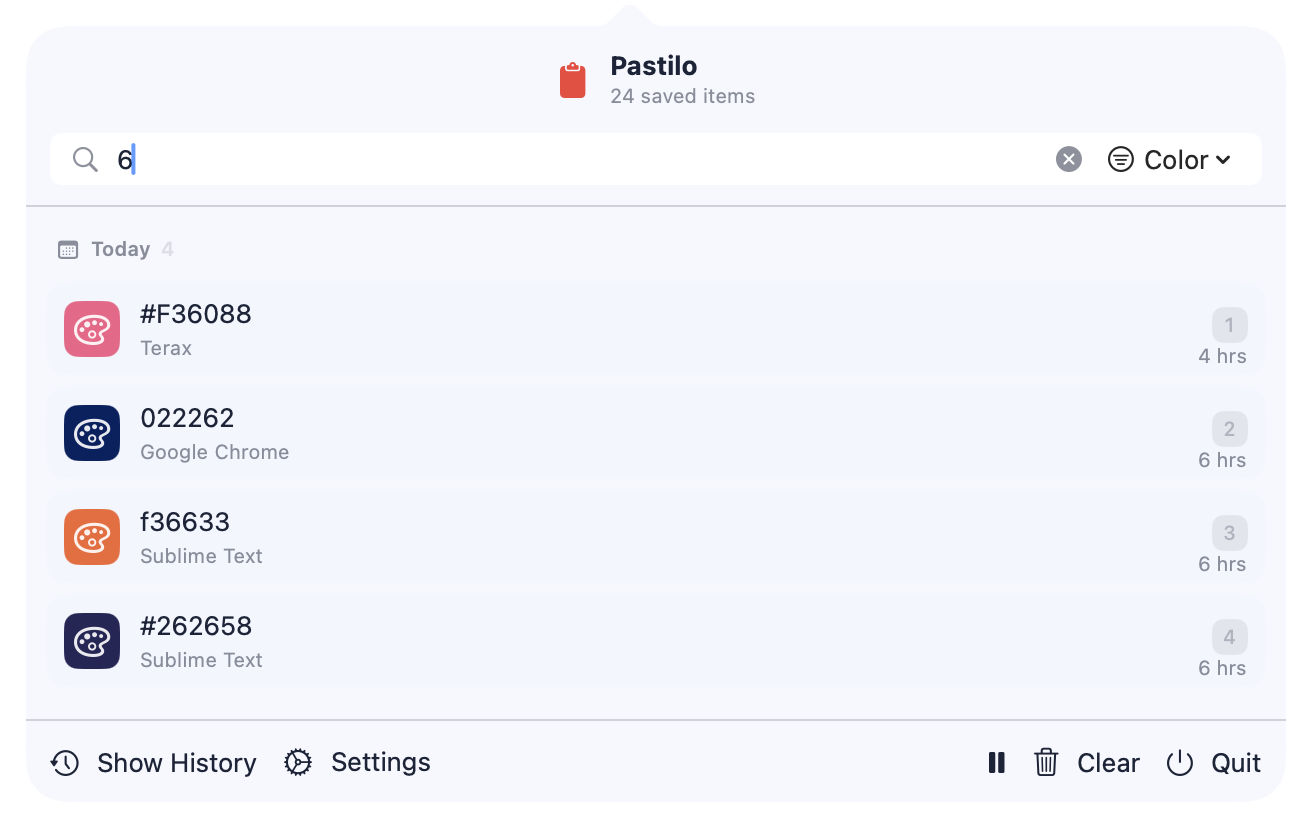
The same menu bar, side by side.
If Maccy's popup is what you like, this is the part that will feel familiar - and all of it is in Pastilo Free.
- A compact menu bar windowOpen it from the menu bar or with ⌘ ⌥ M, and your recent items are a short list away.
- Type to searchStart typing as soon as it opens; the list narrows as you go.
- Pin what you reusePinned items stay at the top instead of scrolling away.
- Free, with no accountThe Free edition does not expire and does not ask you to sign up.
- Previews for each content typeImages, files, links and colors show as what they are, rather than as a single line of text.
- Tags and content-type filtersGroup related items and narrow the history to text, links, images, files or colors.
- A full history window, too⌘ Shift V opens a larger window with detailed previews, and the menu bar switches between compact and detailed views.
- Secure items with Touch IDMark an item as secure and it stays hidden until Touch ID unlocks it, with a lock against accidental deletion.
Where Maccy is still ahead.
Three honest points in Maccy's favor.
- Open sourceMaccy is MIT-licensed and auditable. Pastilo is closed source; if that matters to you, it is a real reason to stay.
- No item cap in the free versionPastilo Free keeps up to 100 items, while unlimited history comes with Plus or Dev. In Maccy, history size is just a setting.
- Deliberately minimalMaccy does one thing and stays tiny. If you never want previews or a history window, you will not miss them.
And if you want more later.
Plus adds Sequential Paste with a Notch preview, Notes and Scratchpads, unlimited history and custom themes. Dev adds local JSON, YAML, Base64, URL and hash transforms on top. Both are one-time purchases that unlock the same app, so the history you built on Free stays where it is.
Keep comparing.
The rest of the comparison set and the guide behind it.
Maccy alternative questions
Is Pastilo Free really like Maccy?
For the core loop, yes: a compact menu bar window, search as you type, pins and a keyboard shortcut. Pastilo Free adds content previews, tags and filters, a full history window and Touch ID-protected items on top.
What does Maccy do that Pastilo Free does not?
Maccy is open source, and its history size is just a setting. Pastilo Free keeps up to 100 items, while unlimited history comes with Plus or Dev.
Do I have to pay to switch from Maccy?
No. The Free edition does not expire and needs no account. Plus and Dev are one-time purchases if you later want Sequential Paste, unlimited history or developer tools.
Can I run Maccy and Pastilo together?
You can, but two clipboard managers watching the same pasteboard usually produce duplicate entries and competing shortcuts. Try Pastilo Free, then keep the one you prefer.
Keep the menu bar. Get more of the clipboard.
Pastilo Free is yours to keep, with no account and no trial clock.